

Where to Get a Peptide MSDS and What to Do With It
Get the peptide MSDS from the supplier’s SDS library or product page using the catalog number, then confirm the Certificate of Analysis matches the lot you received. Download both files before the vial reaches the bench. If the supplier has not published an SDS for that product, request it directly from technical support with the SKU and lot number in hand, and file the documents in your lab’s records the same day.
TL;DR:
- Always download and verify the Certificate of Analysis matching the lot number before using the peptide, and keep it matching the vial label for traceability.
- The SDS provides hazard information applicable across multiple batches, while the COA verifies the specific batch’s purity and identity, and both are necessary for safety and quality assurance.
- Prioritize reading the hazard identification, handling, storage, and disposal sections of the SDS, and post hazard pictograms visibly on storage shelves for quick reference.
- Store lyophilized peptides at -20°C to -80°C, aliquot immediately after reconstitution, and avoid freeze-thaw cycles to prevent degradation.
- Suppliers are mandated to provide SDS documents under GHS/OSHA regulations, so request or verify them if they are not readily accessible online for compliance and safety.
Table of Contents
- Finding a Peptide MSDS: Supplier Portals and Catalog Numbers
- SDS Versus COA: Two Documents, Two Jobs
- Reading an SDS: What Each Section Means for Your Bench Work
- Peptide-Specific Storage and Handling Rules Beyond the SDS
- The Regulatory Baseline: Why SDS Access Isn’t Optional
- How Neo Lab Peptides Handles Documentation and Traceability
- A Receipt-to-Record Checklist Worth Adopting
- Ordering Research-Grade Peptides and Requesting Documentation
- Sources
Finding a Peptide MSDS: Supplier Portals and Catalog Numbers
Most peptide suppliers keep SDS files attached to the product listing, searchable by catalog number or SKU. Start there before contacting anyone.
Suppliers are required under GHS/OSHA regulations to provide SDS documentation for materials classified as hazardous, so a missing SDS is a service gap worth flagging, not a dead end. Some peptide suppliers, including AAPPTec’s MSDS library, host a searchable archive where you enter a catalog number and pull a PDF directly.
A few practical routes:
- Search the product page itself; the SDS is often a downloadable PDF link near the “Certificate of Analysis” or “Specifications” tab.
- Use your institution’s EHS or procurement portal if the supplier’s direct link is blocked by a firewall or requires an account.
- Email the supplier’s technical or EHS support line with the exact product name, catalog number, and lot number if you find nothing published.
- Check whether the peptide falls under a research chemical classification that changes which documents apply, since this affects both shipping paperwork and SDS content.
Keep the downloaded file named with the lot number. A generic “peptide_SDS.pdf” saved without that detail becomes useless the moment you order a second batch.
SDS Versus COA: Two Documents, Two Jobs
An SDS and a Certificate of Analysis answer completely different questions, and confusing them is one of the most common documentation errors in a peptide lab.
The SDS is safety-focused. It tells you what hazards the compound presents, what personal protective equipment to wear, and what to do in a spill or exposure. The COA is quality-focused: it verifies the specific batch’s purity, sequence confirmation, and analytical testing results, usually via HPLC or mass spectrometry.
Here’s how the two documents divide labor in practice:
- SDS covers hazard identification, first aid, handling precautions, and disposal, and it typically applies across an entire product line rather than one batch.
- COA is lot-specific and confirms identity, purity percentage, and testing method for the exact vial in your hand.
- At receipt, match the COA’s lot number against the vial label before anything gets logged into inventory.
- File the SDS separately for EHS compliance, since it rarely changes between lots but still needs to stay current with the product’s hazard classification.
Researchers frequently conflate these two purposes, assuming one substitutes for the other. It does not. A COA with no SDS on file leaves you blind on hazard response; an SDS with no COA leaves you unable to confirm you got what you paid for. Guides like how to read a peptide Certificate of Analysis walk through the lot-matching step in more detail.
Reading an SDS: What Each Section Means for Your Bench Work
An SDS runs 16 sections under the GHS format, but four or five of them carry the weight for peptide handling in a research lab. Skimming the rest wastes time; skipping these costs you a spill response plan.
- Hazard identification (Section 2). Signal words and pictograms translate directly into PPE requirements. A “warning” label calls for different glove and eyewear choices than “danger,” and that distinction should show up in your SOP.
- First-aid and accidental release measures (Sections 4 and 6). Build your spill kit and emergency posting around what this section specifies, not a generic lab template borrowed from another compound class.
- Handling and storage, including incompatible materials (Sections 7 and 10). This sets your storage temperature, container type, and what needs to sit on a separate shelf.
- Exposure controls and disposal (Sections 8 and 13). Use this to select filter vials, confirm whether a fume hood is necessary, and route waste correctly instead of guessing.
Pro Tip: Print the hazard pictograms from Section 2 and post them on the storage shelf itself, not just in a binder. A technician glancing at the freezer should not need to pull a PDF to know what they’re handling.
Peptide-Specific Storage and Handling Rules Beyond the SDS
An SDS covers general chemical hazard, but it rarely addresses the sequence-dependent stability quirks that matter for peptides specifically. That gap is where supplier handling guides earn their place next to the SDS on file.
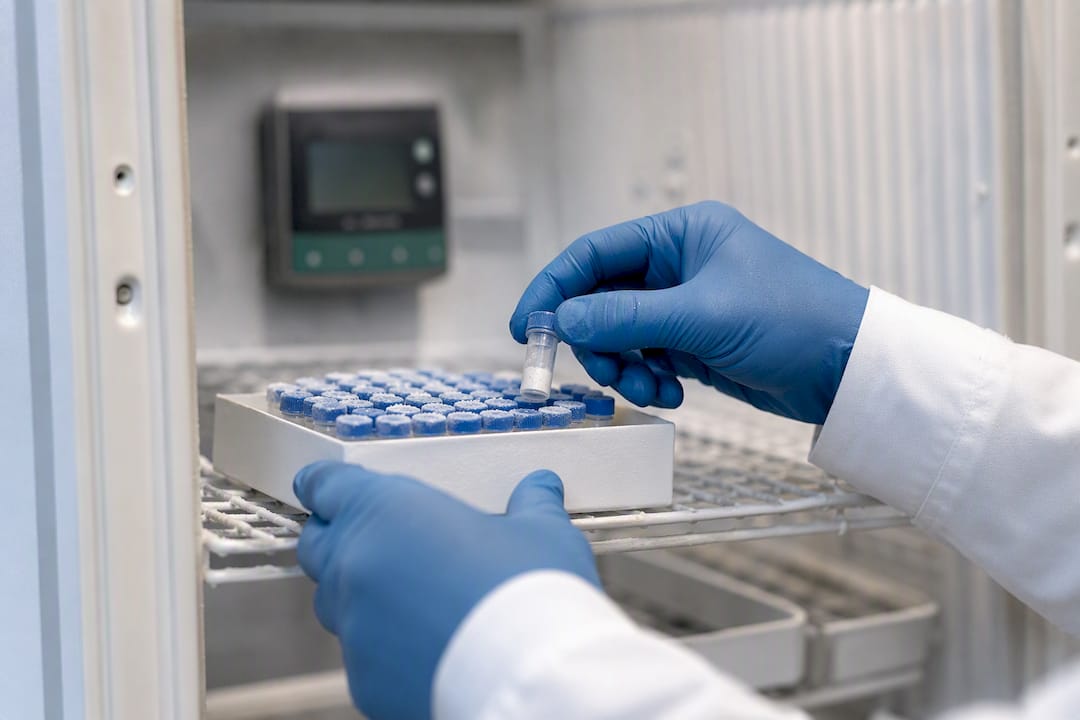
GenScript’s storage guidance recommends keeping lyophilized peptides at −20°C, with Sigma-Aldrich’s technical documentation specifying −80°C for long-term storage. Both sources agree on avoiding repeated freeze-thaw cycles, which degrade peptide integrity faster than almost any other handling error.
- Aliquot the peptide into single-use portions immediately after reconstitution to prevent freeze-thaw damage.
- Start solubilization with sterile water or a 0.1% acetic acid solution rather than reaching for an aggressive solvent first.
- Avoid nonvolatile buffers at the solubilization stage if you plan to re-lyophilize the sample later, since residues can compromise a subsequent purification step.
- Filter solutions through a 0.2 µm filter when sterility matters for downstream cell culture or in vivo work.
Pro Tip: If a peptide resists dissolving in water, don’t jump straight to DMSO or a strong acid. NIBSC’s peptide storage guidance notes that starting mild keeps the door open to re-lyophilize and try again, whereas a harsh solvent choice upfront can be a one-way trip.
The Regulatory Baseline: Why SDS Access Isn’t Optional
OSHA’s Hazard Communication Standard, built on the GHS framework, requires that SDS documentation be available for any material classified as hazardous. That’s not a courtesy suppliers extend. It’s a compliance obligation that runs both directions: suppliers must provide the document, and employers must keep it accessible and current.
Check the revision date on every SDS you file. Peptide classifications can shift as new toxicity data emerges, and an outdated SDS on the shelf doesn’t satisfy the requirement if the supplier has since issued an update. Lab managers carry the responsibility to train staff on the sections relevant to their specific tasks, not just to store the PDF and consider the job done.
How Neo Lab Peptides Handles Documentation and Traceability
Neolabpeptides verifies every peptide batch through third-party HPLC and mass spectrometry testing before it ships, and each product carries a Certificate of Analysis tied to that specific lot. That pairing of independent verification with lot-specific documentation is what a supplier’s paperwork should look like across the board.
- Product pages list COA access alongside purity data, so you’re not hunting through a separate portal to confirm what batch you’re ordering.
- SDS and COA requests tied to a specific order or lot number can be made directly through product support.
- At receipt, match the lot number on the vial against the COA, then archive both documents together in your inventory system rather than as loose files.
That workflow, detailed further in guides on high-purity peptide sourcing, reflects the traceability standard researchers should expect from any supplier they work with.
A Receipt-to-Record Checklist Worth Adopting
Every incoming shipment should trigger the same three moves. Confirm the product name, catalog number, and lot number against the COA the moment the box opens. Save the SDS and COA together in a digital record tied to that inventory entry, not scattered across email threads. Then make sure whoever handles the vial, whether weighing, dissolving, or aliquoting, has actually read the SDS sections that apply to their task.
— Stephan
Ordering Research-Grade Peptides and Requesting Documentation
Neolabpeptides gives you what a comparison-shopping researcher actually needs: verified purity above 98%, third-party HPLC and mass spectrometry testing, and a Certificate of Analysis tied to the exact lot you receive, not a generic product-line average.

Every peptide in the catalog, from IPAMORELIN and CJC-1295 to BPC-157 and GLP-1 analogs, ships lyophilized with documentation available on the product page itself. If you need an SDS or additional QC data for a specific lot, reach out through product support with the catalog number and order details, and the documentation gets matched to your exact batch rather than a generic template. Visit the Neo Lab Peptides landing page to browse the current catalog or contact the team directly to request documentation before your next order ships. All products are supplied for laboratory research use only.
Sources
- Interpreting Certificates of Analysis (COA) and Safety Data Sheets (SDS)
- Peptide storage and handling guidelines — GenScript
- Handling and storage guidelines for peptides and proteins — Sigma-Aldrich
Recommended
- Tesamorelin, MGF, and Ipamorelin: US Research-Grade Guide – Neo Lab Peptides
- Lyophilized Peptides: Storage, Handling, and Lab Guide – Neo Lab Peptides
- Acetic Acid for Peptides: Lab Protocols and US Suppliers – Neo Lab Peptides
- Peptide Sciences Alternatives for US Researchers (2026) – Neo Lab Peptides